
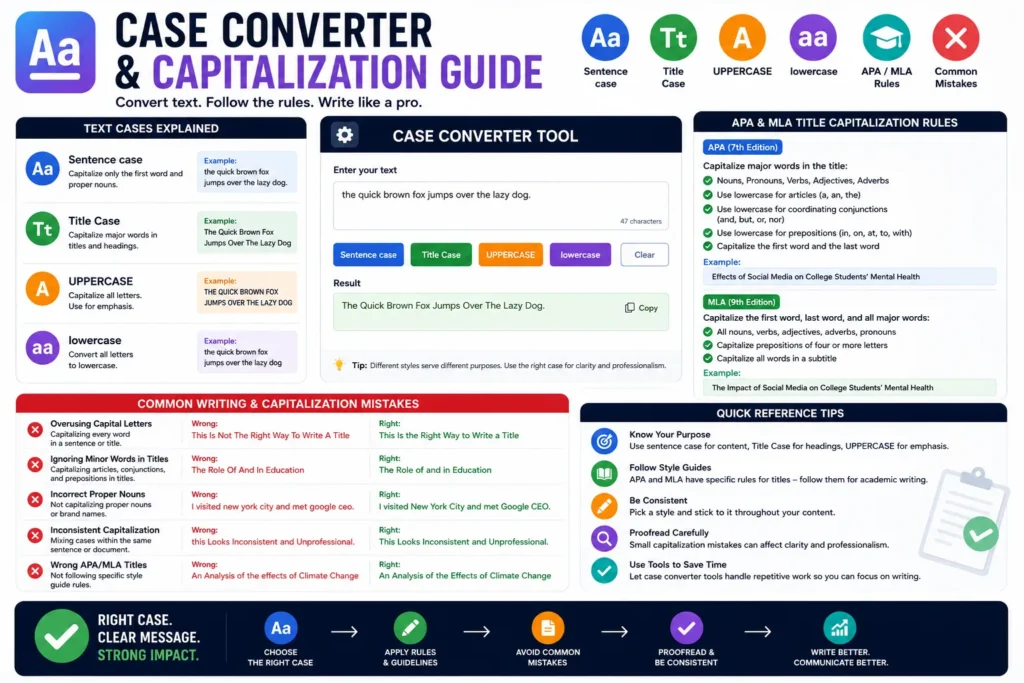
Nothing looks less finished than a page where half the headings are Title Case and half are sentence case, usually because two different people pasted them in from two different documents. This guide covers when each case actually belongs, and how to fix a messy draft fast with our Case Converter.
Try it free: Open the Case Converter, runs entirely in your browser, no account or upload required.
Case mode quick reference
| Case | Best use |
|---|---|
| Sentence case | Body text and paragraph copy |
| Title Case | Headlines and section labels |
| UPPERCASE | Short emphasis labels and badges |
| lowercase | Normalization and cleanup |
Production workflow
Paste the source text in, convert it to whatever mode the section needs, then check it by eye. The converter cannot tell that “ShoutingNow” or “iPhone” should not be forced into your chosen case, so scan for brand names and acronyms before you copy the cleaned text back into your CMS.
Writing tools resources on ShoutingNow
- Case Converter, free online tool
- Case Converter Guide: Sentence, Title, Upper & Lower Case Workflows, full walkthrough (this article)
- Real-Time Character Counter – No Limit
- Capitalize Sentences