
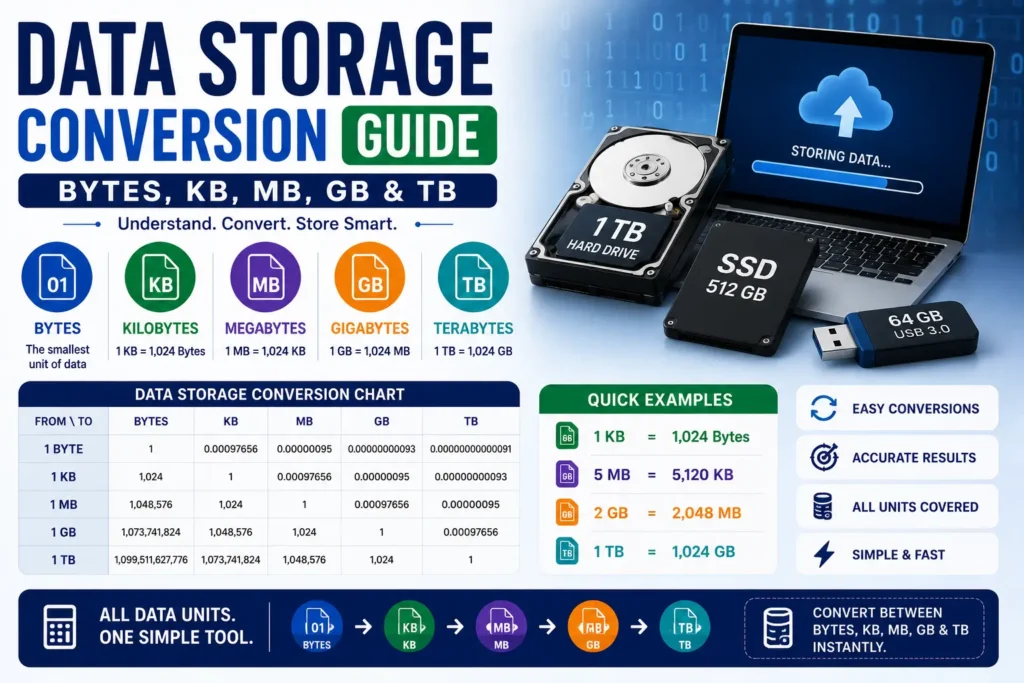
Data storage conversion is how you compare drive labels, cloud quotas, and file sizes when one screen says gigabytes and another says gibibytes — or when a download is listed in MB while your disk reports GiB. Marketing often uses decimal SI steps (1,000); operating systems often use binary steps (1,024). This guide explains both, with formulas, tables, and converter links.
Convert storage now: Open the free Data Storage Converter — bytes through terabytes and bits. No sign-up required.
What data storage conversion is (and why sizes “shrink”)
Storage conversion rewrites a quantity of digital information in another unit: bits, bytes, KB/MB/GB/TB (decimal) or KiB/MiB/GiB/TiB (binary). A “1 TB” drive advertised with decimal terabytes holds 1,000,000,000,000 bytes — about 0.91 TiB in binary, which is why the OS can show a smaller number than the box.
Bits vs bytes matter too: 1 byte = 8 bits. Confusing them understates or overstates capacity by a factor of eight.
Plain-language storage formulas
- Bits ↔ bytes: divide bits by 8 for bytes. Multiply bytes by 8 for bits.
- Decimal (SI) steps: each step × 1,000 (KB → MB → GB → TB).
- Binary (IEC) steps: each step × 1,024 (KiB → MiB → GiB → TiB).
- GB (decimal) → bytes: multiply by 1,000,000,000.
- GiB → bytes: multiply by 1,073,741,824 (1024³).
When a vendor does not say which system they use, assume marketing labels are decimal and OS file browsers are often binary — then convert explicitly.
Data storage conversion tables
Decimal storage steps
| Unit | Bytes (exact decimal) |
|---|---|
| 1 KB | 1,000 |
| 1 MB | 1,000,000 |
| 1 GB | 1,000,000,000 |
| 1 TB | 1,000,000,000,000 |
Binary storage steps
| Unit | Bytes |
|---|---|
| 1 KiB | 1,024 |
| 1 MiB | 1,048,576 |
| 1 GiB | 1,073,741,824 |
| 1 TiB | 1,099,511,627,776 |
Worked examples
Example 1 — photo library in GB
A folder is 4,800 MB (decimal). In GB: 4,800 ÷ 1,000 = 4.8 GB.
Example 2 — drive label vs OS
A drive is sold as 2 TB decimal = 2,000,000,000,000 bytes. In GiB: 2,000,000,000,000 ÷ 1,073,741,824 ≈ 1,862.6 GiB (~1.86 TiB).
Example 3 — bits on a datasheet
A chip lists 64 Gbit. In bytes: 64 ÷ 8 = 8 GB (decimal gigabits → gigabytes when using the same SI prefix scale).
Common data storage mistakes
- Assuming KB always means 1,024 — many specs now use KiB for binary and KB for decimal.
- Comparing cloud quotas in GB to OS sizes in GiB without converting.
- Mixing bits and bytes on network or media labels.
- Rounding mid-pipeline when estimating how many files fit on a card.
Data storage converter tools
Start with the Data Storage Converter, or jump to a dedicated pair:
- Gigabytes to Bits Converter
- Gigabytes to Bytes Converter
- Kilobytes to Gigabytes Converter
- Megabytes to Gigabytes Converter
- Megabytes to Kilobytes Converter
- Terabytes to Bits Converter
- Terabytes to Gigabytes Converter
- Terabytes to Kilobytes Converter
Related reading
- Data transfer rate guide — Mbps vs MB/s for downloads
- Unit conversion chart & calculator guide — full category map