
Write Better LinkedIn Posts With Character Control
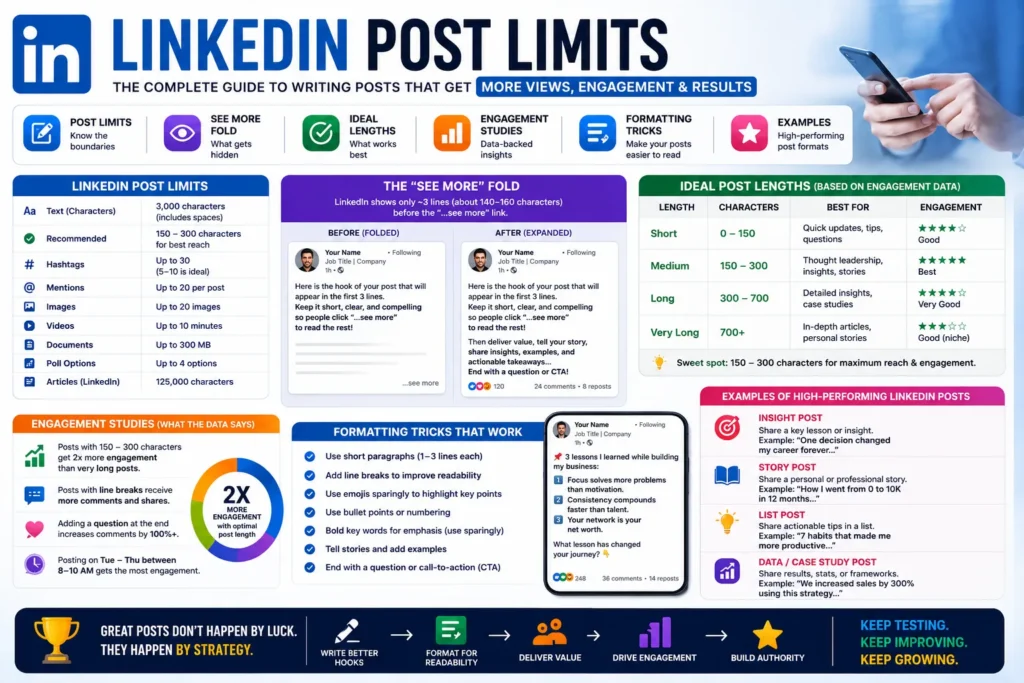
On LinkedIn, the first lines matter most. Readers decide quickly whether to expand your post using “See more.” This tool helps you track full character count and preview your early hook zone so your ideas are easier to discover and read.
How To Use This LinkedIn Counter
- Write or paste your post draft.
- Monitor total characters and words instantly.
- Review your first 140-character hook preview.
- Refine your opening and CTA before publishing.
LinkedIn Writing Tips For Higher Engagement
- Start with a clear point of view in sentence one.
- Use short paragraphs for mobile readability.
- Add proof points or mini-stories, not filler text.
- Close with a discussion prompt or next step.
Related Tools For Social Writing
- Character Counter for generic character and word checks.
- Instagram Bio Character Counter for concise profile copy.
- X/Twitter Thread Length Calculator for multi-post social content planning.