
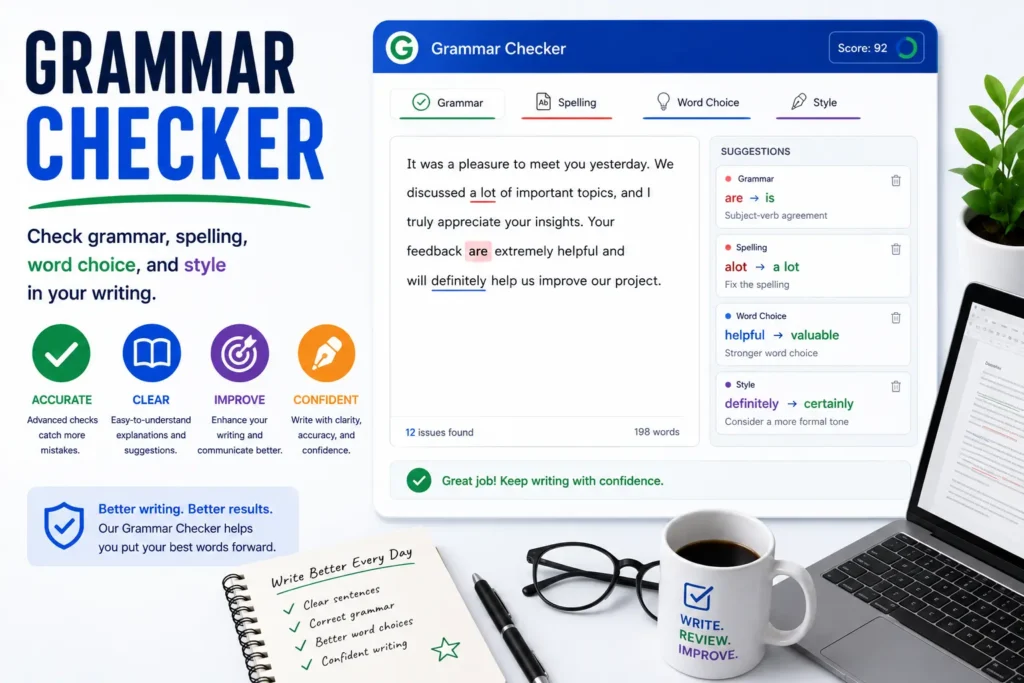
A grammar checker scans your writing for spelling mistakes, grammar patterns, punctuation problems, and style flags — then suggests fixes you can apply in one click. Unlike desktop suites that require installation, ShoutingNow’s free Grammar Checker runs in the browser: paste text, click Check Grammar, review color-coded highlights, and polish your draft before you publish or submit.
Try it free: Open the Grammar Checker — runs entirely in your browser, no account or upload required.
What does an online grammar checker do?
Grammar checkers compare your text against language rules and common error patterns. Strong tools flag:
- Spelling — misspelled words and typos (definitely, separate, receive)
- Grammar — capitalization, pronoun case, homophones (their/there, your/you’re)
- Punctuation — spacing around commas and periods, double spaces
- Style — repeated words, very long sentences, passive voice hints
ShoutingNow highlights each category in a distinct color so you can prioritize fixes: spelling first, then grammar, then style polish.
How to use the Grammar Checker step by step
- Open the Grammar Checker tool and paste your draft into the editor.
- Click Check Grammar and wait for the scan to finish (usually under a second for typical essays).
- Read the highlighted preview — underlined spans match the issue list below.
- Click Use suggestion on individual issues or Fix all fixable for bulk corrections.
- Glance at Writing stats — word count, sentence count, and Flesch readability score update live.
- Re-run the check after major edits to confirm nothing new slipped in.
Understanding highlight colors
The interface follows the familiar online-editor legend:
| Color | Category | Example |
|---|---|---|
| Red | Spelling | recieve → receive |
| Green | Grammar | Capitalize i → I |
| Yellow | Punctuation | Remove double spaces |
| Blue | Style | Flag a 45-word sentence |
Grammar checker vs human proofreading
Automated checkers excel at catching frequent mistakes quickly. They struggle with context — whether lead is a verb or noun, whether a brand name is intentionally unconventional, or whether passive voice fits academic tone. Treat suggestions as a first pass, then read aloud for flow. For high-stakes documents (thesis, contract, medical copy), add a human editor after the tool.
Browser-only privacy
ShoutingNow does not upload your text to a grammar API. Analysis runs in JavaScript on your device — ideal for confidential drafts, client copy under NDA, or classroom policies that restrict cloud writing tools. Clear the editor when finished on a shared computer.
Pair grammar checking with other writing tools
After spelling and grammar fixes, run Capitalize Sentences if pasted text lost sentence case. Use Compare Text to show a client exactly what changed between revisions. Track net word changes with the Edit Counter when you must hit a strict cut target.
Who benefits most?
- Students — catch typos before Turnitin or instructor review
- Bloggers — polish newsletters and meta descriptions fast
- ESL writers — spot article and punctuation patterns
- Freelancers — deliver cleaner first drafts to editors
Common questions about limits
Browser-based engines cover hundreds of frequent error patterns but are not identical to enterprise products that use large cloud language models. Long specialized terminology (legal Latin, medical jargon) may need manual review. Re-check after accepting bulk fixes — one correction can occasionally expose a new spacing issue at the merge point.
Writing tools resources on ShoutingNow
- Grammar Checker — free online tool
- Grammar Checker Guide: Fix Spelling, Grammar & Style Online — full walkthrough (this article)
- Writing Tools Playbook — cluster hub for all writing utilities
- Capitalize Sentences
- Compare Text