
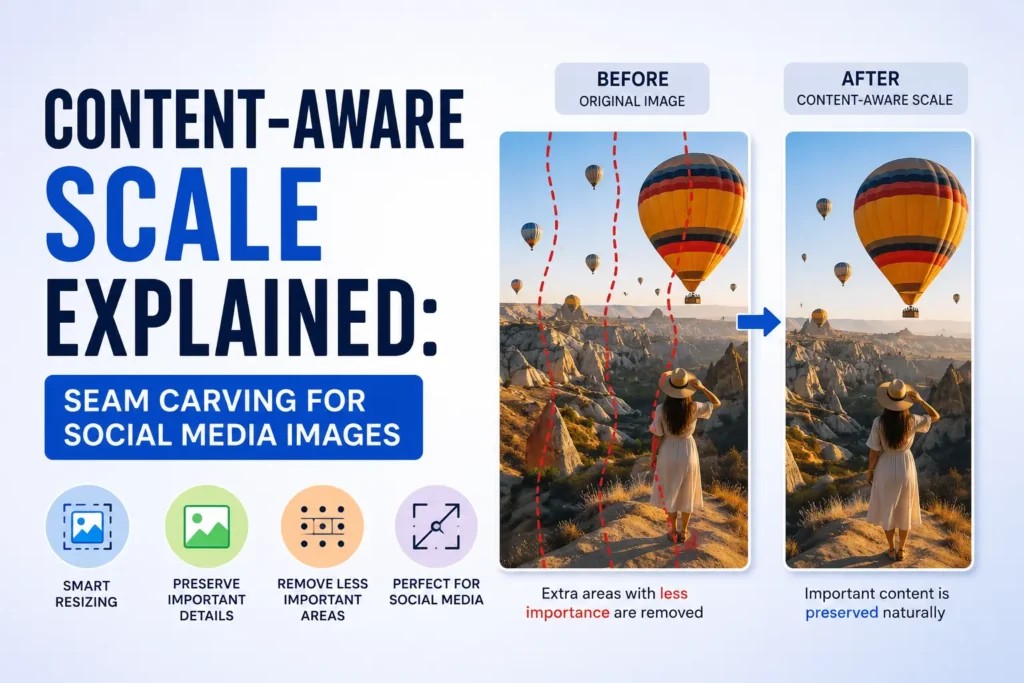
Content-aware scale — often called seam carving — lets you reshape a photo to a new aspect ratio without a harsh crop or a rubber-stretch distortion. Instead of uniformly scaling pixels, the algorithm scores each pixel by visual importance, then adds or removes one-pixel-wide paths through the calmest areas: sky, blur, walls, and negative space. Faces and high-contrast subjects stay intact.
How seam carving works
The classic approach builds an energy map (commonly with a Sobel gradient), then iteratively finds lowest-cost vertical or horizontal seams. Removing seams narrows an image; duplicating seams widens it. Modern implementations add face protection masks, hybrid pre-scaling, and Lanczos rescaling so large jumps in aspect ratio stay practical in the browser.
ShoutingNow ships a WebAssembly build of the caire family of algorithms. Your image never leaves the tab — decoding, seam carving, preview frames, and export all run locally.
Fill Frame vs Smart Crop
Fill Frame is what you want when the target is wider or taller than your source. The tool grows the canvas by stretching low-energy regions. Smart Crop applies when your source is already larger than the target: seams are removed instead of chopping hard edges off the photo.
Social media sizes that benefit most
- YouTube thumbnail — 1280×720 (16:9)
- Instagram Story — 1080×1920 (9:16)
- Twitter/X header — 1500×500 (3:1)
Ultra-wide banners and tall Stories are the hardest to solve with ordinary crop tools. Content-aware fill was built for exactly these jumps in aspect ratio.
Privacy and performance
Because processing is client-side, marketing teams can resize sensitive product shots or unpublished campaign art without uploading to a third-party server. Expect roughly 2–10 seconds for multi-megapixel photos depending on CPU; the live preview shows seam progress at 30–60 fps between WASM steps.
Try it now: Open the free Content-Aware Scale tool — pick a platform preset, toggle face protection, and download PNG, JPEG, or WebP.
When not to use content-aware scale
Seam carving struggles when every column or row contains fine detail — think dense typography, chain-link fences, or repeating patterns. For those images, manual crop or generative outpainting may work better. For typical portraits, landscapes, and product photos on social sizes, content-aware scale is the fastest path from one master image to many formats.