
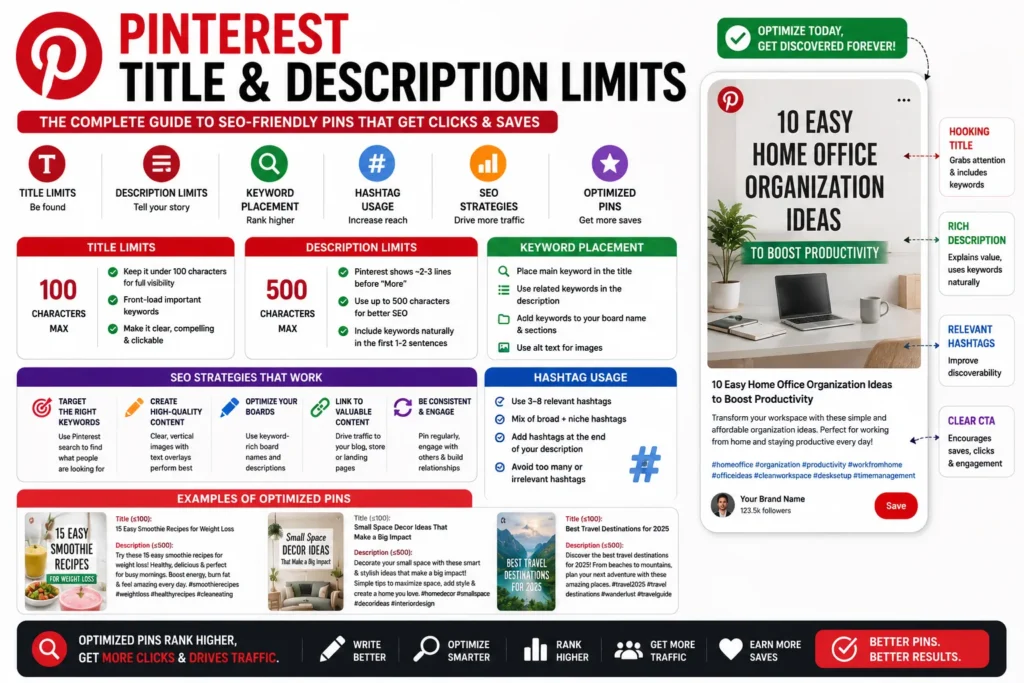
A strong Pinterest description helps your pin rank for relevant searches and drive quality clicks. This guide explains how to use a Pinterest pin description counter to keep copy clear, keyword-focused, and aligned with platform limits. Use our Pinterest Pin Description Counter to draft and validate in real time.
Try it free: Open the Pinterest Pin Description Counter — runs entirely in your browser, no account or upload required.
What to include in a Pinterest description
- Primary keyword in the first sentence
- Clear context about the pin content
- A natural call-to-action
- Readable language without stuffing
Why character limits matter
Descriptions that are too long can reduce readability and weaken message clarity. Tracking character count as you write helps keep your final draft concise and scannable.
Suggested workflow
- Draft the description in plain language.
- Check live character and word totals.
- Move your top keyword to the first line.
- Trim weak filler phrases and duplicate hashtags.
Writing tools resources on ShoutingNow
- Pinterest Pin Description Counter — free online tool
- Pinterest Pin Description Counter Guide: Write Keyword-Rich Pins That Get Clicks — full walkthrough (this article)
- Writing Tools Playbook — cluster hub for all writing utilities
- Character Counter
- Instagram Bio Character Counter